
 Deutsch
Controls and Displays
Top tiles, build menu, field info, map buttons, building box and city menus at a glance.
The tiles at the top
The top bar shows your city's key values. Hover over a tile for details, click it to open a menu.
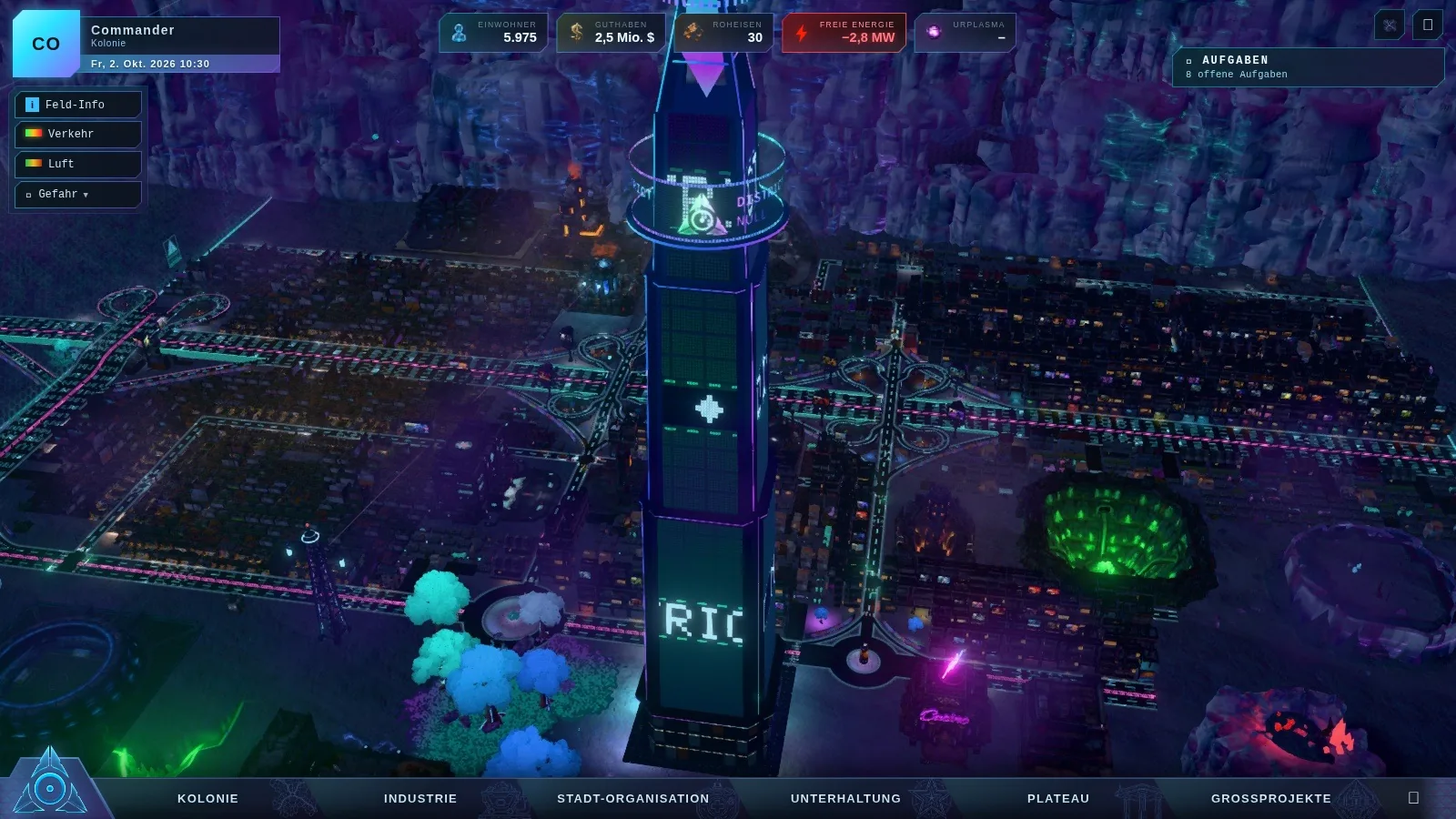
| Tile | Shows | Click opens |
|---|---|---|
| Population | residents with a trend arrow | city overview with popularity and forecast |
| Balance | money, below it any open loan | finances with statement, taxes and loans |
| Pig iron, metal | stock and space | inventory with resources, boosters and warehouses |
| Free Energy | output and demand | energy menu with all power plants |
| Urplasma | premium currency | shop |
If your balance is negative, the tile pulses red. A "! Problems" below the money takes you straight to the latest statement.
The build menu
At the bottom is the build menu with the tabs Colony (roads, districts, demolish, relocate), Industry (power plants, warehouse, mines, blast furnace), City Services (emergency services, school, bus stop), Entertainment, Plateau and Major Projects. On the upper level the bar switches to high-rises, plateau and major projects. Keys 1 to 6 open the tabs.
Every tile has an "i" with cost, build time, effect and running costs. Locked tiles tell you why, for example "from VIP level" or "coming later".
Map buttons, top left
- Field Info: click a tile to see its values, the weakest value and a tip (District Value and Field Info).
- Traffic: the road heatmap (Traffic and Jams).
- Air: the smog over the city (key L).
- Hazard: crime, fire risk and disease, one at a time or mixed (key G, Hazards in the City).
- Tasks (📜): the task overview with tutorial, major project, districts and long-term goals.
The building box
Click a building and its character appears. In one sentence it tells you how things are going and names any problem. Below it is the window with all settings. Use ▾ to collapse the box so you can see the arrows on the map.
Levels and map
The level button switches between the colony below and the upper level on the plateau (The Upper Level). The city map (M or Tab) shows your whole city, one click jumps there.
On phone and tablet you control everything with your fingers (Playing on your phone).